Elimity for Microsoft Entra Agent ID
See every agent on Microsoft Entra Agent ID, who owns it and what it can reach.
You cannot govern an agent you cannot see
AI agents hold access, touch data and act on their own, yet they do not show up in your HR system.
Agent identities sit next to your user accounts, but nobody reviews them together. The accountable sponsor changes and the agent stays.
Discover every agent on Microsoft Entra Agent ID
Elimity connects to Microsoft Entra Agent ID and lists the agents it finds.
Elimity reads agent identities, agent identity blueprints, agent users, the users and groups linked to each agent, and their permissions.
Every agent has an owner. Until they leave.
When the person behind an agent changes role or leaves, the agent keeps running and keeps its access. Nobody decided that.
- 1The owner changes role or leaves.
- 2The agent keeps running with the same access.
- 3Elimity flags the agent as having no active owner.
See what each agent can reach
Elimity shows which systems and data each agent can reach, so you can check whether that still matches its purpose.
How it works
Connect Microsoft Entra Agent ID to Elimity.
Elimity discovers the agents.
Review owners and access, and keep the evidence.
Evidence for NIS2, DORA, ISO 27001 and the AI Act
Works alongside your stack
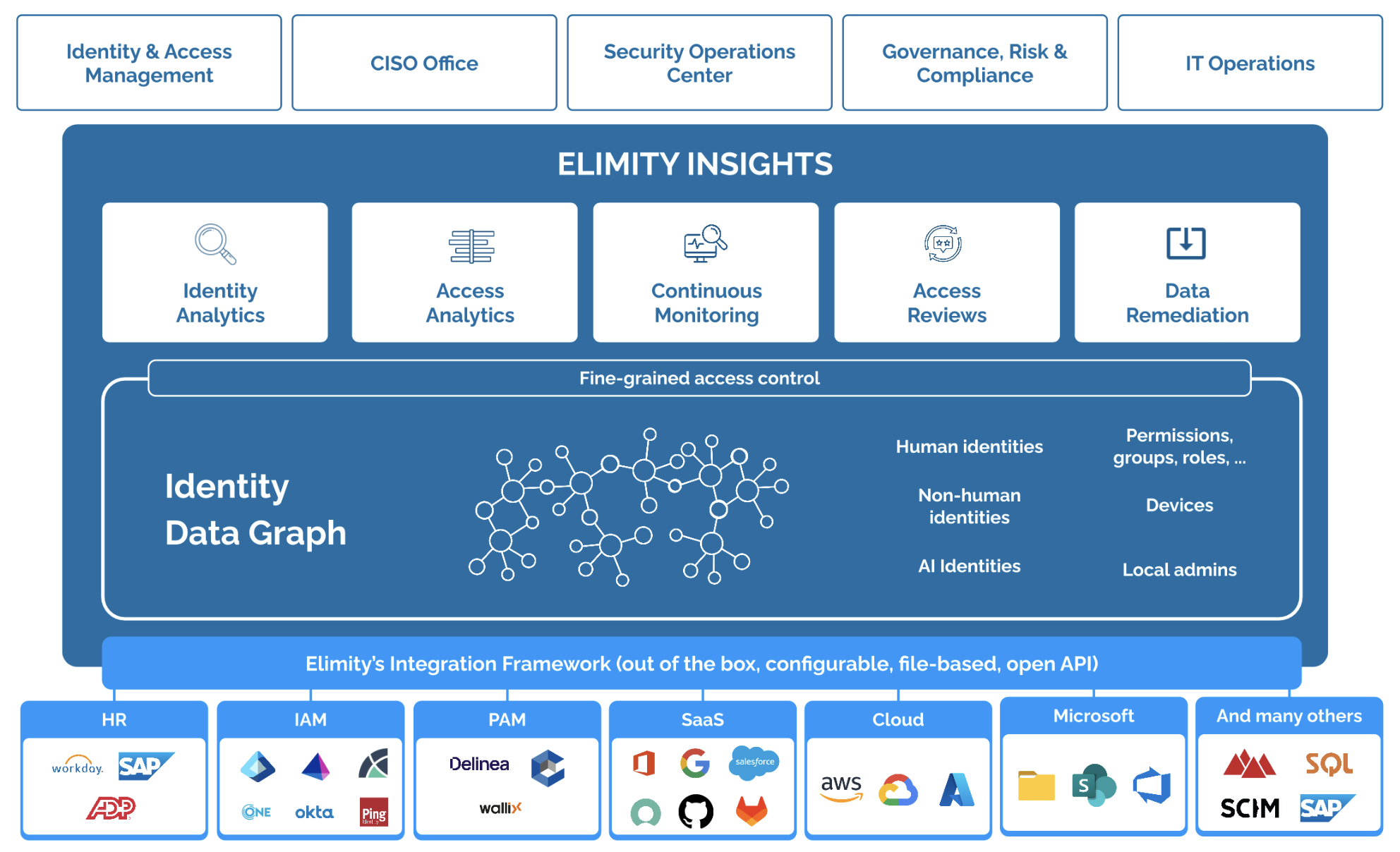
Elimity is a visibility and intelligence layer. It sits next to your IGA, PAM and identity provider. It does not block agent actions.
Technical overview
- Supported entities
- Agent identities, agent identity blueprints, agent users, linked users and groups, permissions.
- Deployment
- Read-only connection to Microsoft Entra Agent ID. Nothing is written back.

See it on your own agents
Book a demo to see which agents run on Microsoft Entra Agent ID in your organisation and who owns them.